
Text2Store keeps every archive as a complete copy. That is a deliberate design choice for a record-keeping app: an archive folder is whole because it is there, not because some database of pointers is intact. If you back up on Monday and again on Tuesday, you have two full snapshots, and either one survives without the other.
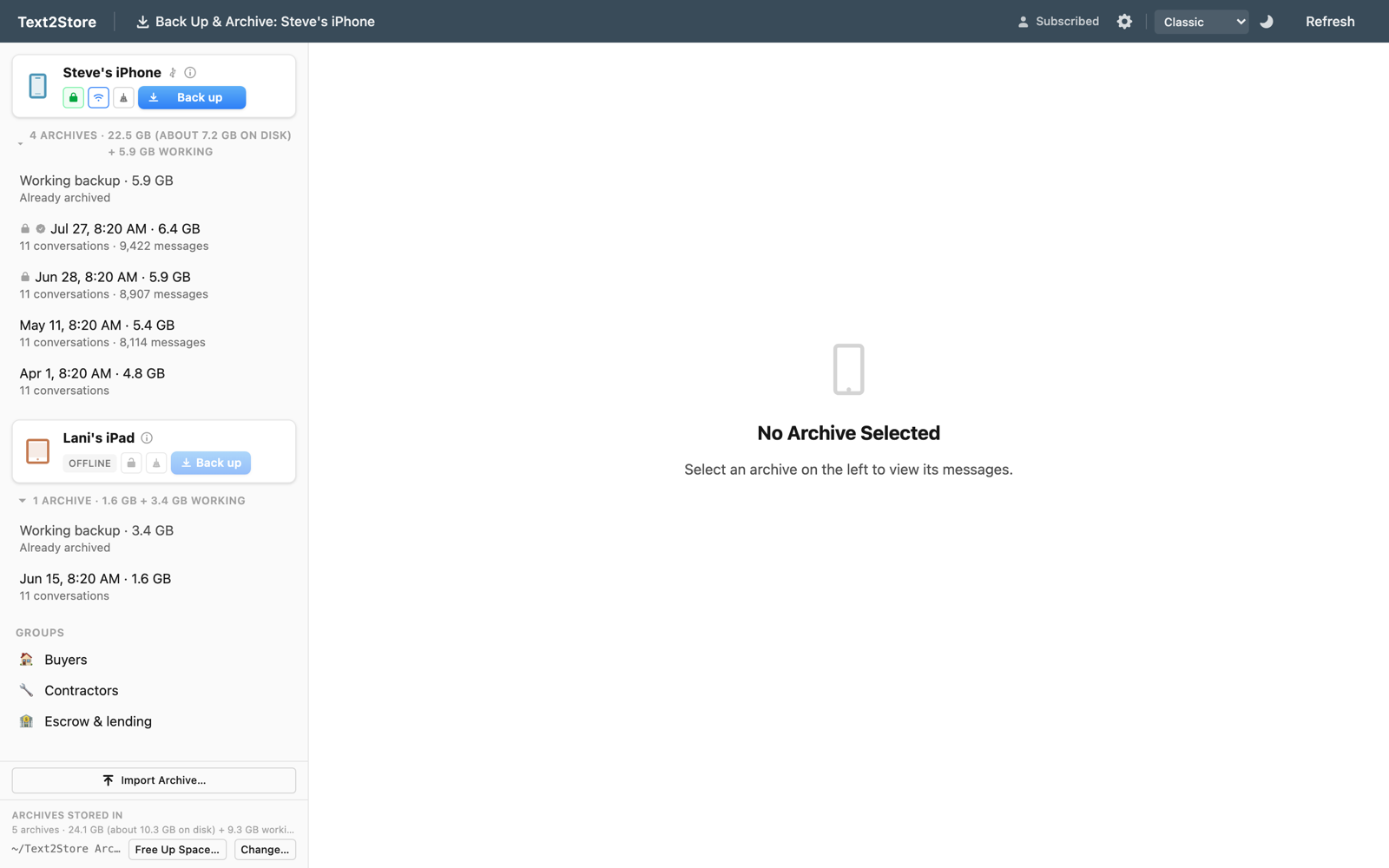
Complete copies sound expensive. Back up a phone with 400 MB of messages and attachments twice in a week, and the math says you now have 800 MB of archives. For most of those bytes, that math is wrong, at least on a Mac, and the app now tells you so: the sidebar might say "2 backups · 440 MB (about 222 MB on disk)". Both numbers are true at the same time. This post is about how, and about why the second number only appears when the app has proven it.
Your Mac already knows how to share
Apple's modern file system, APFS, has a trick called cloning. When a file is copied with the right system call, no data moves at all. The new file simply points at the same physical blocks on disk as the original. Both files are fully independent from then on: change either one and only the changed pieces get written fresh. It is not a link or an alias; it is a real copy that happens to cost nothing until the two diverge.
Text2Store archives lean on this. When an archive is created on a Mac, each file is cloned from the working copy of your last backup and then read back to compute its checksum. The bytes and checksums are identical to a plain copy, so verification, exports, and certified backups behave exactly the same. But two archives of a mostly-unchanged phone end up pointing at mostly the same blocks. The messages that did not change between Monday and Tuesday are stored once. Only what actually changed costs new space.
That is how "440 MB of archives" can occupy about half that on disk. The record is still two complete, independent snapshots. Deleting either archive leaves the other whole, because the file system keeps blocks alive until nothing references them.
Trust, but verify. Actually verify.
Here is the part I care about most. It would be easy to do the accounting in theory: notice that two archives contain files with identical checksums, assume the file system shared them, and print a smaller number. Easy, and wrong often enough to matter. Sharing does not happen for archives you imported from another computer, for archives made before this behavior existed, or on Windows and on external drives formatted as ExFAT, where every copy genuinely costs full price.
So the app does not assume. Before it shows you an "on disk" figure, it asks the file system where the bytes physically live: it takes the largest files that appear in more than one archive and checks whether both copies point at the same physical blocks. Only when the sharing is actually observed does the smaller number appear. If it is not observed, you get the same plain sizes as before, because those are then the truth.
We held the check itself to the same standard. While building this we validated the probe against ground truth: a forced byte-for-byte duplicate of an archive file reported a different physical location, and a forced clone reported the same one. The measurement can tell the two apart, which is what makes it worth showing to you.
What the numbers mean now
Each archive still lists its full size, because that is the honest answer to "what does this archive contain" and "what would it cost to copy it to another drive or export it as a bundle". A bundle export is always self-contained, so it materializes at full size wherever it lands.
The "(about X on disk)" figure, where it appears, is the honest answer to a different question: what these archives are actually costing this disk. And the free-space number in the corner remains the ground truth for how much room you have, straight from the file system.
One consequence worth knowing: deleting one of two near-identical archives frees much less space than its listed size, because most of its blocks live on in its sibling. The app's Free Up Space tool says "up to" for exactly that reason. The flip side is better than it sounds: keeping many snapshots of a slowly-changing phone is close to free, which is precisely the habit an archive rewards.
The philosophy, in one paragraph
We could have built a cleverer storage system, one that deduplicates everything everywhere with its own bookkeeping. We looked at it seriously and said no, because a record-keeping app should not have failure modes where bookkeeping bugs quietly damage archives that looked fine yesterday. Full copies, accelerated by the file system's own copy-on-write and reported with numbers the app has personally verified, give you the safety of dumb storage and most of the savings of clever storage, with nothing invented in between.
If you want the background on why archives accumulate as separate dated snapshots in the first place, that story is in a backup and an archive are not the same thing.