
Export iPhone text messages to PDF
Complete conversations, not screenshots: every message with its date, time, and clear sender attribution, photos placed where they were sent, and threads of any length. On your own computer, Mac or Windows.
The iPhone has no built-in way to get a conversation out as a document. Screenshots work for a handful of messages and fall apart at scale: a screen at a time, no metadata, miserable to assemble, easy to challenge. Text2Store takes the direct route: it backs up your iPhone to your computer, turns the backup into a readable archive, and exports any conversation as a clean, paginated PDF.
What ends up in the PDF
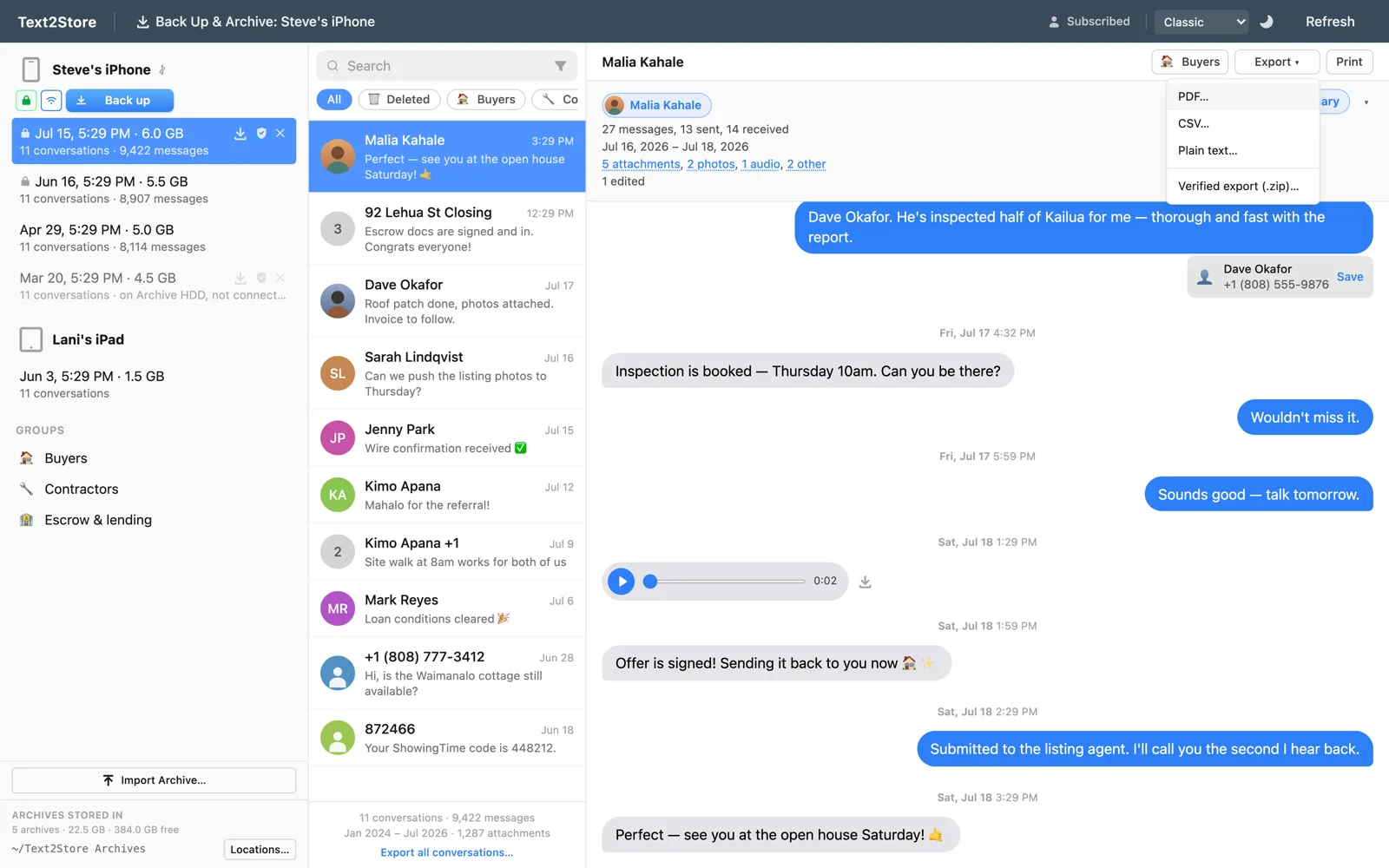
- Every message, stamped. Date and time on each message; group messages carry the sender's name, and one-to-one messages are laid out sent versus received, the way the phone shows them. The document states which conversation it came from and the date the backup was archived. Edited messages are marked as edited.
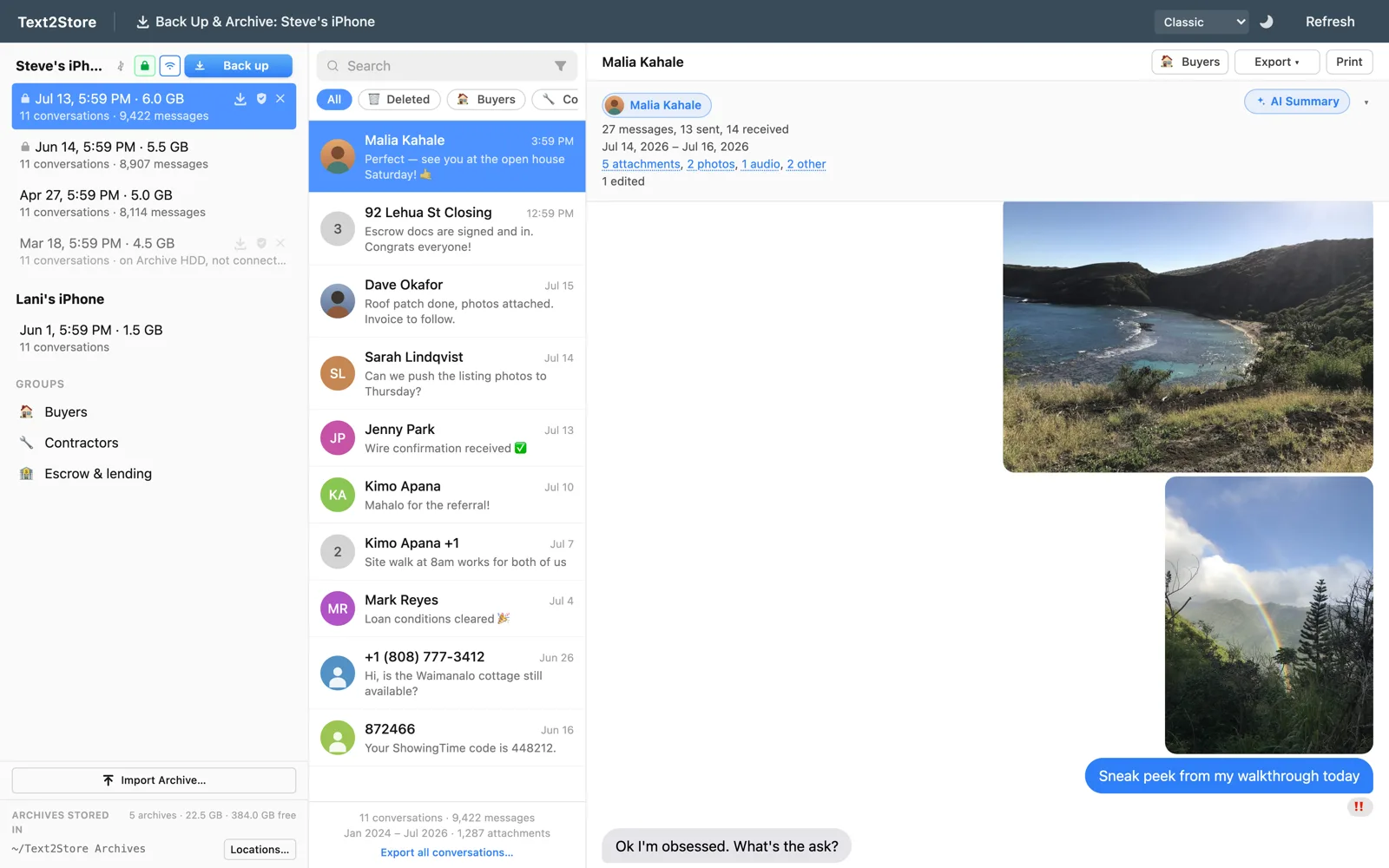
- Photos inline, where they were sent; videos and other attachments appear as clearly labeled entries with their file name and size.
- Deleted messages handled honestly. Messages deleted on the iPhone that an older backup still contains are clearly flagged, and if an export omits them, the document says so. Nothing quietly misrepresents the record.
- Whole threads, whatever the size. Long conversations export in parts and merge into one PDF automatically, each part labeled by its message range. A real years-long thread past 80,000 messages has exported cleanly, far beyond the point where exports commonly fail.
The steps
- Install Text2Store. Get it here; backing up and browsing are free.
- Back up your iPhone. Connect with a USB cable, tap Trust on the phone, click Back Up & Archive. The backup lands on your computer as a dated archive; after the first trusted connection, later backups can run over Wi-Fi.
- Open the conversation. Threads appear like a messages app: Apple Messages and WhatsApp, with photos, voice notes, and reactions where they belong.
- Export > PDF. Choose the whole conversation or a date range, pick where to save, done. (Backing up and searching are free; exporting needs the $29.99/year subscription, which covers every device and computer you own.)
Exporting everything at once
Bulk export writes every conversation in a backup to a folder of files, PDF included, each named for its conversation, with an optional date range across the whole run. One click, then coffee.
If it's headed to a lawyer or a court
A PDF is readable, but it can't prove itself. If your export might need to convince a skeptic, start at save iPhone text messages for court: it covers what courts actually look for, and how a certified backup and verified export add an independent DigiCert timestamp and checksums anyone can verify with standard tools. For legal review platforms, there's RSMF export too. Same conversations, sturdier containers.
Common questions
Does the PDF include photos?
Photos, yes, inline where they were sent. Videos and other attachments appear as clearly labeled entries with their file name and size.
Does every message show its date and time?
Yes, every message shows its date and time; group messages carry the sender's name, and one-to-one messages are laid out sent versus received. The document states which conversation it came from and the date the backup was archived.
Can it handle a years-long conversation?
Yes. Long threads export in parts and merge into one PDF automatically, each part labeled by its message range. A real conversation past 80,000 messages has exported cleanly.
Can I export WhatsApp chats to PDF too?
Yes. WhatsApp conversations come out of the same iPhone backup and export the same way as Apple Messages.
Can I export every conversation at once?
Yes, with the bulk export, optionally date-limited.
Do I need iTunes?
No. Text2Store makes the backup itself over USB or Wi-Fi.
Questions?
Email hello@text2store.com and we'll help. Or just try it, backing up is free.