
Search your iPhone text messages
Find one remembered phrase across years of conversation, on your own computer, including messages your phone no longer shows. Free, and it stays free.
You can search text messages on iPhone from the Messages app, and for something from last week in a thread you still have, it is fine. It gets unreliable when the message is old, when the thread was deleted, when you only half remember the wording, or when you cannot recall which of four group chats it was in. And it gives you no way to look at everything at once.
Searching a backup on a computer is a different experience, mostly because the whole history is sitting on a disk instead of being paged out of a phone. Text2Store backs the iPhone up, indexes what is in the backup, and searches all of it at once.
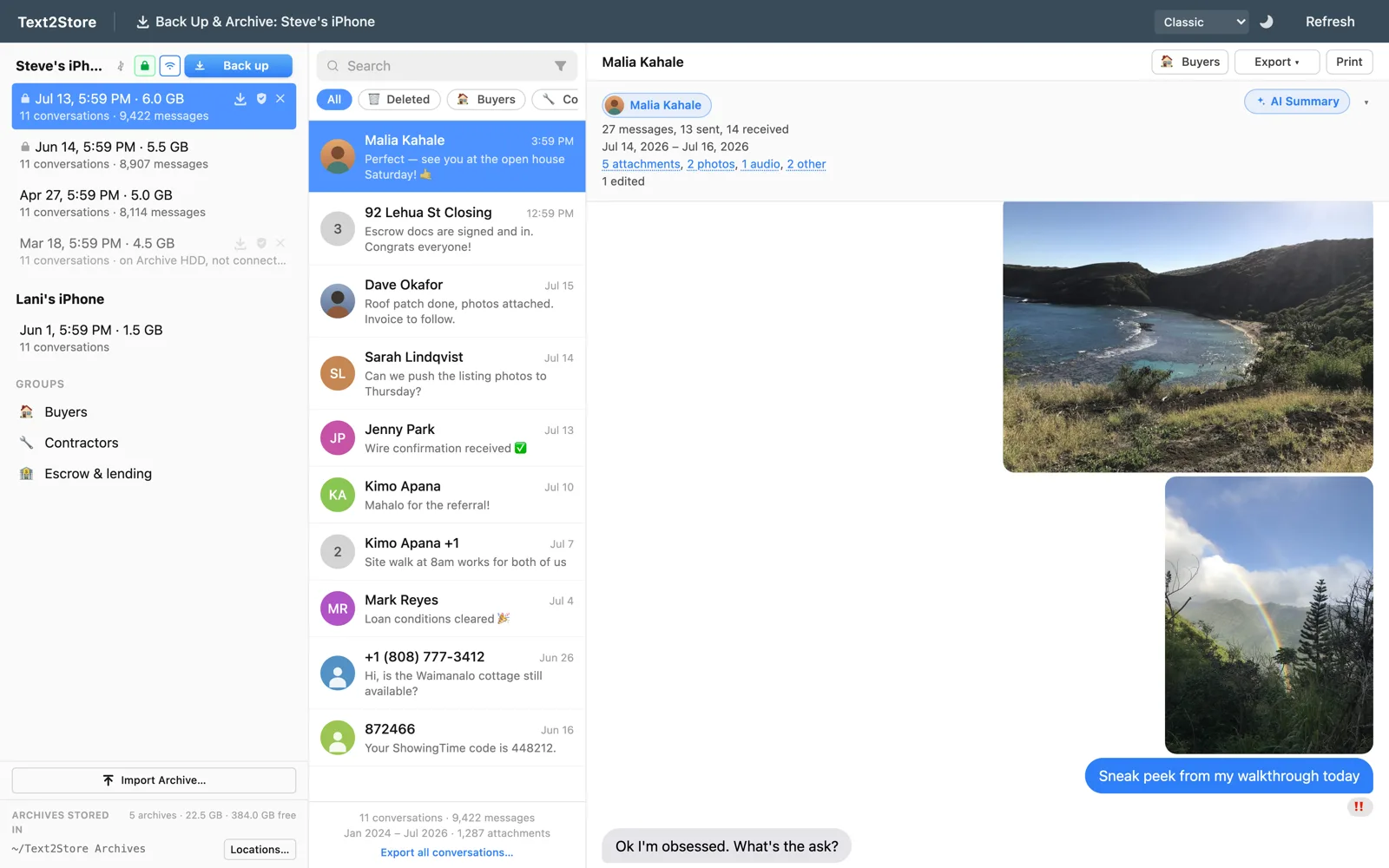
Every backup at once, not one at a time
Text2Store keeps each backup as its own dated copy rather than overwriting the last one. All Messages merges every backup for a device into one continuous history, so a search runs across the whole span in a single pass. You do not have to guess which backup a message might be in, and you do not lose the ability to look at a specific date when you want to.
Narrowing it down
- By word or phrase, across your entire history or inside one conversation.
- By contact, when you know who said it but not when.
- By conversation, including group threads, to search inside one thread only.
- By deleted status, to look at just the messages an older backup still has and the phone no longer shows.
Finding something that was deleted
This is the case the phone genuinely cannot help with. If a backup made before the deletion still contains the thread, it is in your archive, and you can filter a search down to exactly those messages. If the message was never backed up, nothing can produce it, and any tool claiming otherwise is worth doubting. The practical implication is the same as always: the sooner you back up, the more you keep.
Asking instead of searching
Sometimes you do not remember the words, only the gist. Ask Your Messages takes a question in plain language, such as what the roofing estimate was or when camp starts, and answers from your own archive with citations you can click through to the exact message it came from, including the page of a PDF that was sent as an attachment.
Worth being precise about the privacy of this, since it is the one feature that is not purely local: the search index is built entirely on your computer and stays there. Asking a question sends just the relevant excerpts to Google Gemini to compose the answer, only after you opt in, and Google neither stores them nor trains on them. Plain search sends nothing at all. The privacy policy has the full accounting, and the Ask Your Messages guide walks through setting it up and asking good questions.
Searching is free
Backing up, browsing, and searching your whole history cost nothing and have no time limit. Opening a conversation shows its three most recent messages; reading past that and exporting need the $29.99 one-time purchase. So you can back up, search everything, and find out whether what you are looking for is even there before deciding to buy anything.
Common questions
How do I find an old text message on my iPhone?
For recent messages in threads you still have, the phone's own search is fine. For anything older or deleted, back the phone up to a computer and search the backup, where the whole history is available at once.
Can I search text messages from years ago?
Yes. All Messages merges every backup into one continuous history, so a single search covers the whole span.
Can I find messages that were deleted from the phone?
Yes, if a backup made before the deletion still has them, and you can filter to just those. No, if they were never backed up.
Is searching free?
Yes, along with backing up and browsing, with no time limit.
Does the search run on my computer?
Yes. The index is built and kept on your machine. Only the optional AI question feature sends anything out, and only after you opt in.
Back up first, then look
Download Text2Store and make one backup; searching what it finds costs nothing. If what you are after turns out to be there, you can export it, save it as a PDF, or print it.